Follow your curiosity.
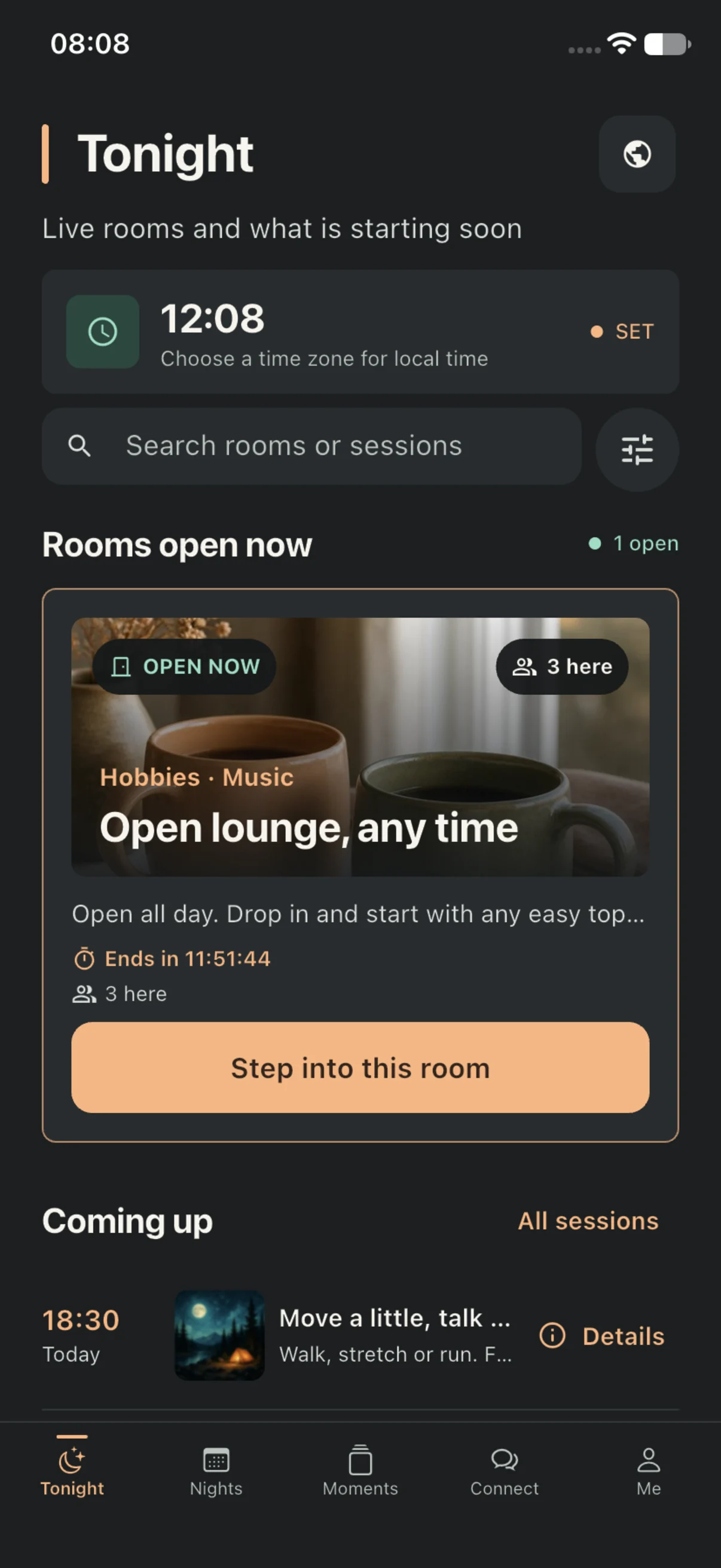
Browse themed rooms, from coffee breaks to starry skies. Check the session schedule in your chosen time zone and find an interest that fits your evening.
After hours. At your pace.
The working day is over. Find space for what you enjoy with interest rooms, your own evening plans and everyday Moments in Evnue.
Your evening starts in your time zone. For ages 18+.


Three ways to make an evening your own.
Browse themed rooms, from coffee breaks to starry skies. Check the session schedule in your chosen time zone and find an interest that fits your evening.
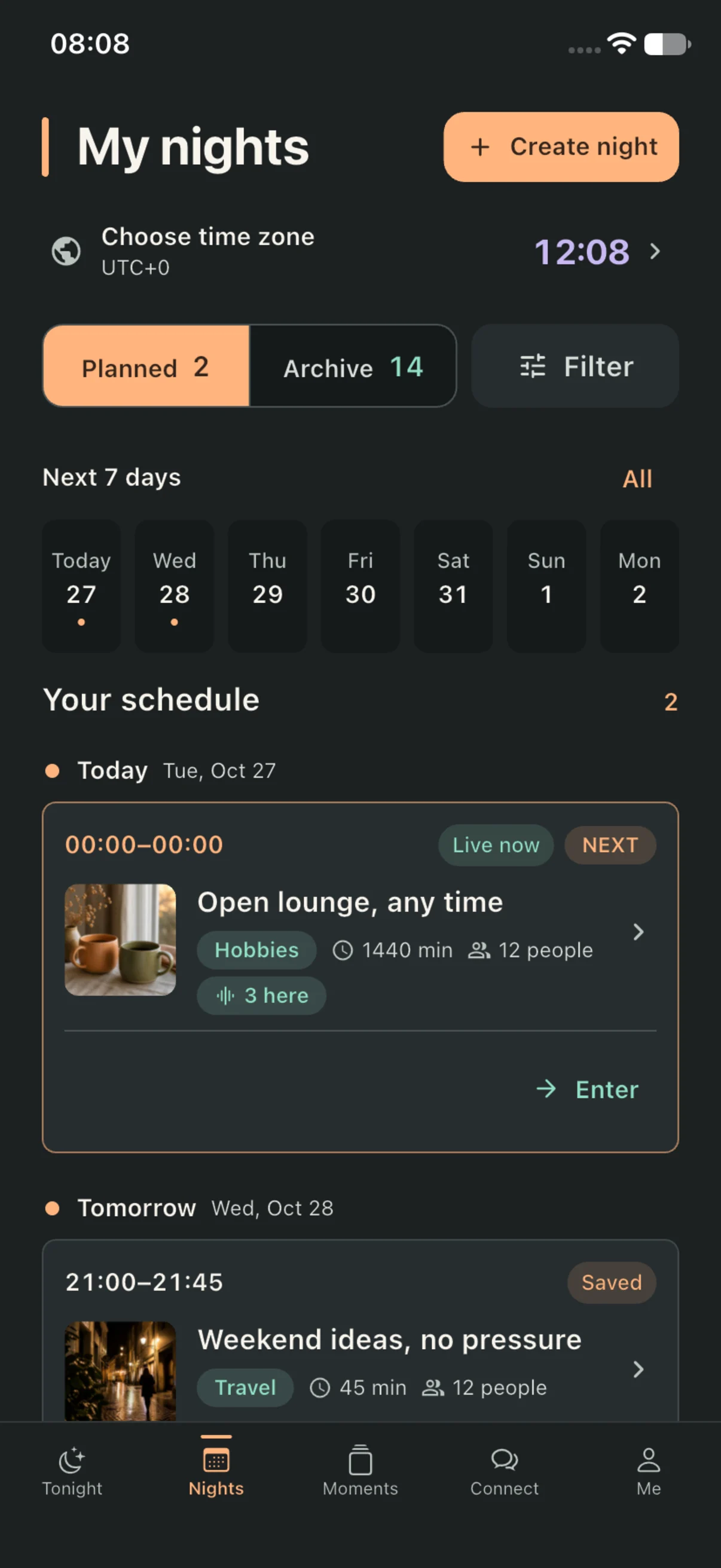
Bring your joined sessions and evening plans together in My nights. See what’s coming up and revisit the rooms you have spent time in.
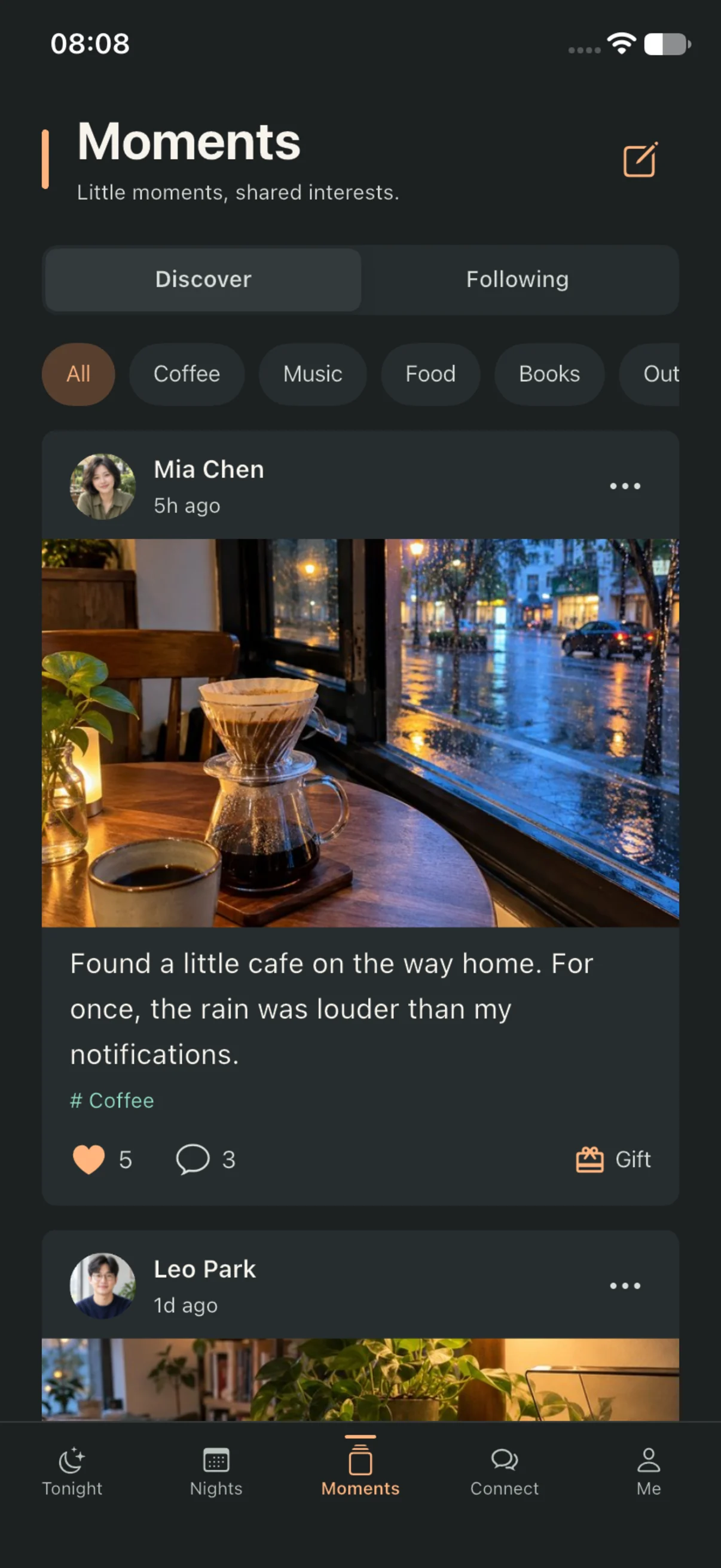
A thought, a photo, something worth keeping. Make a Moment from the little things that give your day its own character.
Rooms and themed sessions are digital experiences within Evnue. They do not include physical venues, in-person events or tickets.
A look inside Evnue
Explore rooms, keep plans close and share everyday moments.
Evnue is for people aged 18 and over. Respect, consent and personal boundaries come first.
Choose what you share and manage device permissions in Settings. Read the Privacy Policy.
Use reporting and blocking when you need to. For help with a concern, visit Support.
App help, account questions or a little guidance — start here.
Evnue Support
Find answers about your account, EvnCoin and community tools. If you need a hand, get in touch by email from wherever you are.
Tell us what happened, along with your app version and device model.
demzerhayatez@icloud.comPlease leave out passwords, full card details and information unrelated to your request.
Good to know
Choose a question to see the next step. Our Terms of Service, Community Guidelines and Privacy Policy explain the details.
Check that your sign-in email and password are entered correctly. If an error appears, include the message when contacting Support.
If you still need help, email demzerhayatez@icloud.com with a description of the problem, your app version and device model. Never send your password.
In Evnue, go to Me > Account & privacy > Delete account and follow the confirmation steps.
Deletion permanently removes your associated profile, content, messages, call summaries, notifications, interactions, reports, blocks, settings, in-app media and transaction records. It cannot be reversed. Unused EvnCoin expires and completed gifts cannot be withdrawn.
Deleting your account does not submit an Apple refund request. Apple-managed payment records remain subject to Apple’s policies. See the Privacy Policy for details.
These permissions support actions you choose, such as selecting an image, taking an avatar photo, recording a voice clip or turning on the camera preview. You can change access in iOS Settings; declining a permission may make the related feature unavailable.
Evnue does not record or store video-call footage or audio. It keeps call-summary records. You choose your time zone manually; Evnue does not access precise location through iOS location services.
EvnCoin is used for digital gifts within Evnue. Purchases are one-time consumables, with no subscriptions or automatic renewals. Check the product, quantity, price and currency in Apple’s purchase confirmation before approving a purchase.
EvnCoin cannot be transferred, cashed out or exchanged for real-world property. The required quantity is shown before you send a gift, and a completed gift cannot be withdrawn. Unused EvnCoin expires when you delete your account.
Email demzerhayatez@icloud.com with the product name, purchase date, what happened and any relevant Apple transaction reference. Include your app version and device model so we can understand the issue.
Do not send your Apple Account password, full payment-card details or unrelated personal information. Apple processes iOS payments and manages payment credentials.
For iOS purchases, visit Apple’s Report a Problem website (opens in a new tab) and follow Apple’s instructions. Apple determines refund eligibility under its policies and applicable law.
Deleting your Evnue account does not automatically request a refund from Apple.
Use the reporting option on the relevant content or profile. You can find the saved submission details under Me > Account & privacy > Report history. Include accurate, necessary information and leave out unrelated personal details.
For assistance with a report, email demzerhayatez@icloud.com with the report reference and relevant context. Do not rely on an in-app report for emergency help.
Blocking hides the person’s profile and related interaction entries and prevents new messages to that person. Eligible history may reappear if you unblock them.
A follow, gift or purchase does not oblige anyone to reply, start a chat or continue contact. Respect another person’s decision to decline or end an interaction.
Room availability follows the schedule displayed in the app for your selected time zone. Related interactions may become read-only after a session ends.
All rooms and themed sessions are digital services within Evnue. They do not provide physical venues, in-person events or tickets.
Our agreement with you
These Terms of Service (the “Terms”) are between you and the provider of Evnue. They govern your access to and use of the Evnue iOS app and related services. Read these Terms and the Privacy Policy before registering or using the service. By registering or using the service, you confirm that you have read and agree to these Terms.
You must be at least 18 and legally able to enter into these Terms. You must provide accurate and current registration information, safeguard your account credentials and remain responsible for activity through your account. You may not transfer or lend your account without Evnue’s written consent. Contact demzerhayatez@icloud.com promptly if you become aware of unauthorized account use.
Evnue offers profiles, interest rooms, community moments, messaging, in-app digital gifts and a video-call interface. Room availability follows the schedule shown in the app. Interactions may become read-only after a session ends. Rooms and themed events are digital services within the app and do not provide in-person events, venues or tickets.
Users may start a private chat directly. Recipients decide whether to reply and may report or block the sender. A follow, gift or purchase does not mean the recipient agrees to form a relationship, reply or continue contact.
In-app digital products for iOS are offered through Apple App Store. The product name, quantity, price, currency and payment terms are those shown in Apple’s purchase confirmation. Products are one-time consumables; there are no subscriptions or automatic renewals.
EvnCoin may only be used for digital gifts in Evnue. It cannot be transferred, cashed out or exchanged for cash or other real-world property. The required quantity is shown before you send a gift. A completed gift cannot be withdrawn.
Unused EvnCoin expires when your account is deleted. Refund eligibility and requests are governed by Apple’s terms, policies and applicable law; submit refund requests through Apple’s official channels.
You must have the rights needed to submit text, images and voice clips and are responsible for content you submit or send. Do not post illegal, fraudulent, threatening, harassing, hateful, sexually exploitative or child-endangering content; violate another person’s privacy or intellectual property; impersonate another person; coerce someone into contact; or record or distribute call footage or audio without consent.
You may use in-app reporting and blocking to address inappropriate content or interactions. Respect other people’s refusal, privacy and personal boundaries, and follow the Community Guidelines.
You can request account deletion under Me > Account & privacy > Delete account. After confirmation, your account profile, content, messages, call summaries, notifications, reports, blocks, interaction records, EvnCoin balance, in-app transaction records, settings and in-app media files will be deleted and cannot be restored. Unused EvnCoin expires. Apple-managed purchase records and refund requests are handled under Apple’s policies.
To the extent permitted by law, Evnue may adjust, suspend or discontinue part of the service for operational, technical-maintenance or legal reasons and will provide notice through the app where appropriate. You are responsible as provided by law for losses caused by your breach of these Terms or applicable law.
Evnue provides the service subject to applicable law. To the extent permitted by law, Evnue is not liable for indirect losses not caused by its intentional misconduct or gross negligence. Nothing in these Terms excludes or limits liability that may not be excluded or limited by law.
Evnue may revise these Terms as the service changes or as required by law. The updated version and effective date will be published in the app. Where renewed consent is required, you must confirm as prompted before continuing to use the relevant service. Contact demzerhayatez@icloud.com with questions about these Terms.
Respect each person’s wishes, refusal, privacy and personal boundaries. Do not harass, threaten, discriminate against, humiliate, stalk or coerce another person. Do not solicit or distribute private information, or record or distribute call footage or audio, without consent.
Do not post illegal, fraudulent, threatening, hateful or sexually exploitative content; child sexual abuse material; or content encouraging self-harm or dangerous acts. Do not impersonate another person, misrepresent your identity, violate privacy or intellectual property, or use the service for illegal transactions.
You may post only text, images and voice clips that you have the right to use. Do not send spam, malicious links, unsolicited commercial promotions or content intended to move users off Evnue for transactions.
A gift or purchase is not consent to form a relationship, start a private chat, join a video call or continue contact. Respect both participants’ wishes in chats and calls. Do not persist after someone declines or ends contact, or circumvent a block.
You may report relevant content or users through the in-app reporting feature, and you may block a user to stop further interaction. Provide accurate and necessary information when reporting, without unrelated personal information. You can view the submission time, target, reason, note and current record status under Me > Account & privacy > Report history. Blocking hides the person’s profile and related interaction entries and prevents new messages to that person. Eligible history may reappear after you unblock them.
You must comply with applicable laws and these Guidelines when using Evnue. You are responsible as provided by law for your content and conduct. In an immediate real-world emergency, contact local emergency services. For questions about these Guidelines, contact demzerhayatez@icloud.com.
For help understanding this agreement or our Community Guidelines, contact Evnue.
demzerhayatez@icloud.com